
Impersonation
Impersonation is the ability to temporarily access the ESET PROTECT Hub Platform of a customer or company within the same distribution channel and view or perform actions as another user, without logging in with their credentials.
The Audit logs section displays actions and system records, and tracks both the impersonator and the impersonated user. ESET PROTECT Hub tracks changes made during the impersonation session to the impersonated user.
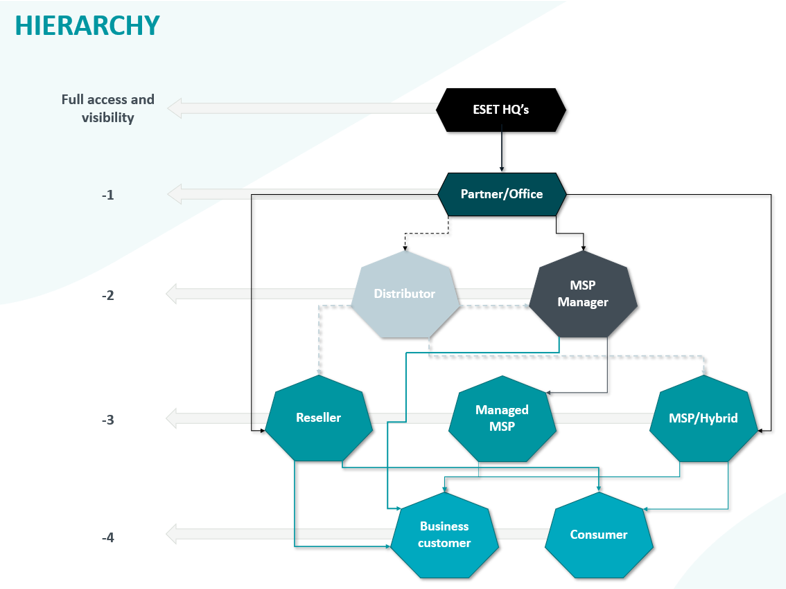
Impersonation follows the ESET PROTECT Hub hierarchy. Only users with roles above yours in the ESET PROTECT Hub hierarchy can impersonate a user in your company.
During impersonation sessions, the impersonator gains the same access rights as the impersonated user, but security-sensitive and destructive actions are restricted.
