
ESET Cloud Workload Protection
|
You need the following access rights to edit the ESET Cloud Workload Protection part: •Use access—All Static Group •Use access—Groups & Computers •Write access—Policies •Write access—Subscriptions •Write access—Product Activation Client Task •Write access—Integrations & Marketplace MSP users need Use access to the All static group or to at least one company in their group tree. If you do not have the required access rights, the ESET Cloud Workload Protection part is disabled. |

The wizard prompts you to review and adjust settings that apply to virtual machines integrated from your connected cloud environments:
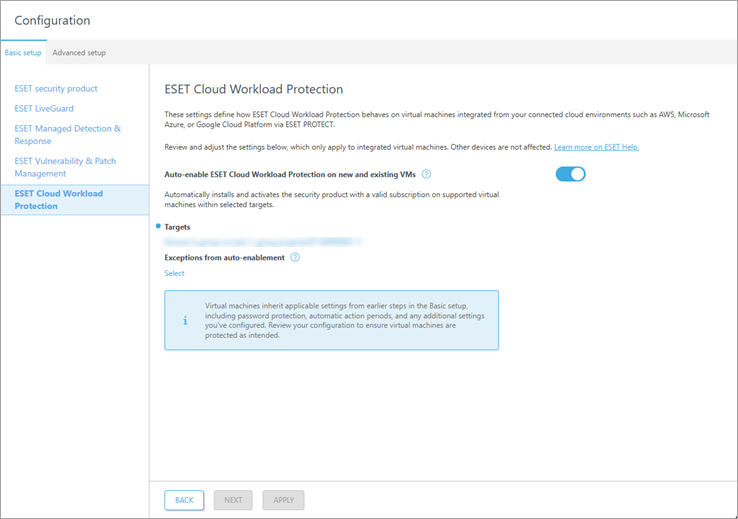
1.Select Auto-enable ESET Cloud Workload Protection on new and existing VMs to automatically enable ESET Cloud Workload Protection on supported virtual machines within selected targets.
2.Select Targets.
3.In the Exceptions from auto-enablement part, click Select to select specific targets for exclusion from the automatic enablement of ESET Cloud Workload Protection.
4.Click Apply.