
Enable ESET Security Application
|
You can deploy the ESET protection to virtual machines that meet the system requirements for the installation of the ESET security application: •ESET Server Security for Windows (Windows VMs) •ESET Server Security for Linux (Linux VMs) |

Select the computers you want to enable the ESET security product on. A subscription will be assigned automatically.
Select the Platform Modules section; in ESET Cloud Workload Protection, select the Enable option, and a new window will appear:
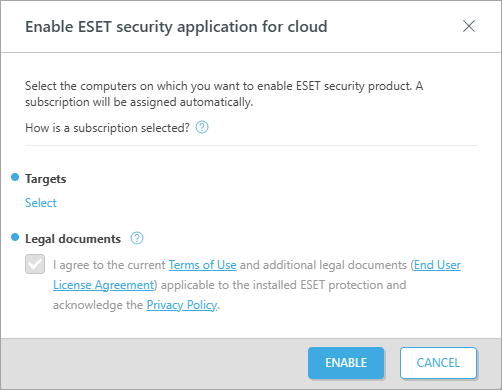
1.Targets: Click Select > select static groups > click OK.
2.Select to agree to Legal documents and click Enable.