
Log in to your account: ESET PROTECT Hub, ESET Business Account or ESET MSP Administrator
|
Only Administrators whose home group is set to All, with Write permission for subscriptions in the home group can add or remove subscription. Each subscription is identified by its subscription code and can contain one or more units. Subscriptions can only be distributed by the Administrator to other users with sufficient permissions. |

1.Click More > Subscription Management > Actions > Add Subscriptions.
2.Select Log in to your account: ESET PROTECT Hub, ESET Business Account or ESET MSP Administrator.
3.Type the ESET PROTECT Hub, ESET Business Account or ESET MSP Administrator credentials (ESET PROTECT On-Prem will display all delegate subscriptions in Subscription Management).
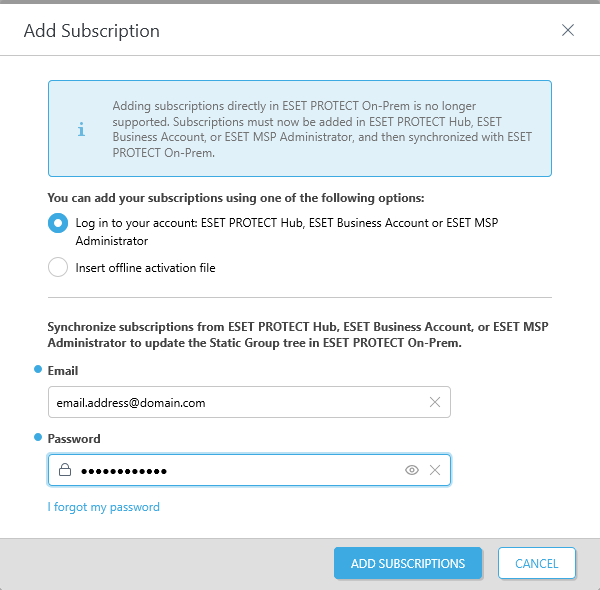
4.Click Add Subscriptions to confirm.
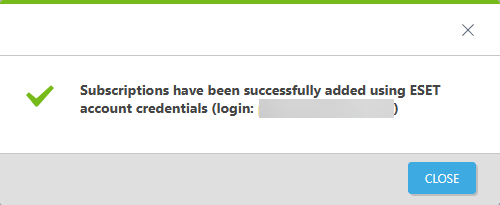
5.ESET PROTECT On-Prem now synchronizes your ESET PROTECT Hub, ESET Business Account or ESET MSP Administrator structure to the Static Group tree in Computers in the Web Console.
If the subscription synchronization fails, ensure the edf.eset.com hostname and IP addresses are allowed in your network.