
Review campaign results
1.All targets receive a phishing email.
Important: If a phishing email is not received, verify all applicable IP addresses and email headers are whitelisted. If you use a third-party tool to block spam email, contact the manufacturer or visit their website.
2.In the ESET CyberCentral Management tool, click Tests/Campaigns > Manage Tests.
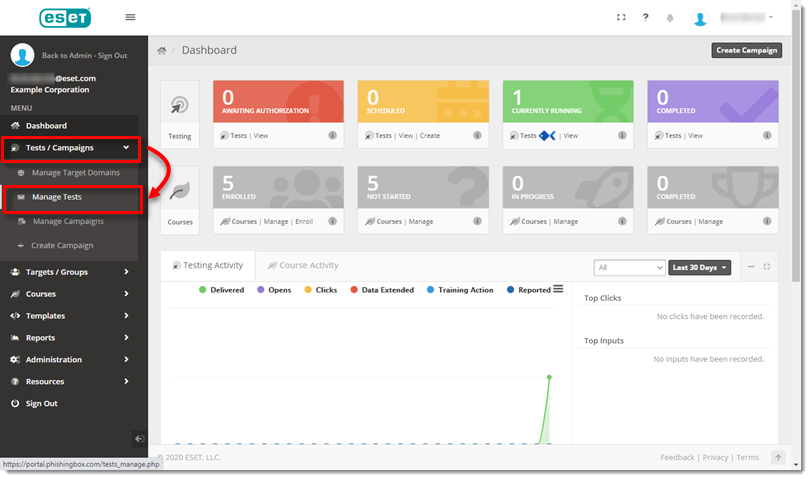
Figure 1-1
3.Next to the applicable test campaign, click View.
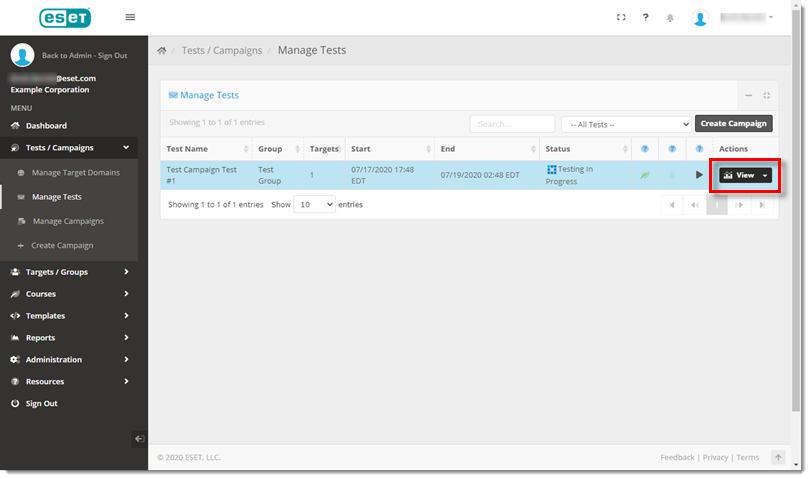
Figure 1-2
4.Review the list to determine the number of emails that were sent successfully and the number of emails that bounced or encountered errors.
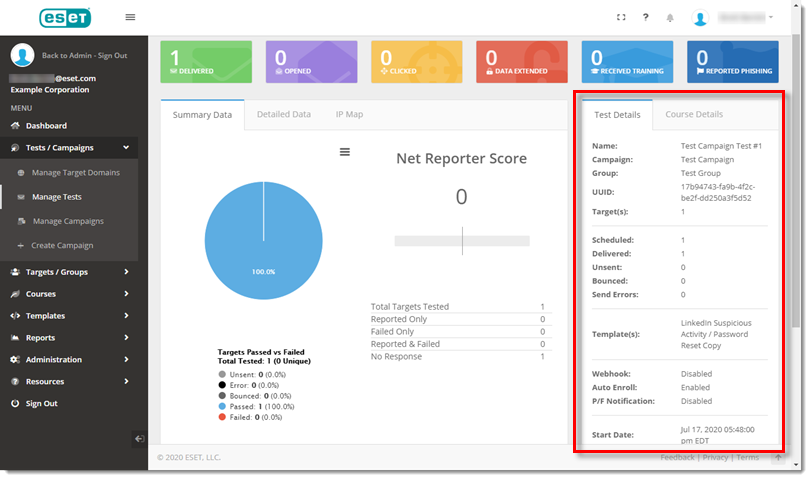
Figure 1-3