
View course completion and phishing campaign reports
To view the ESET Cybersecurity Awareness Training users enrolled status, in the administrator portal, click Dashboard.
To create a report:
1.Click Reports > CSV generator.
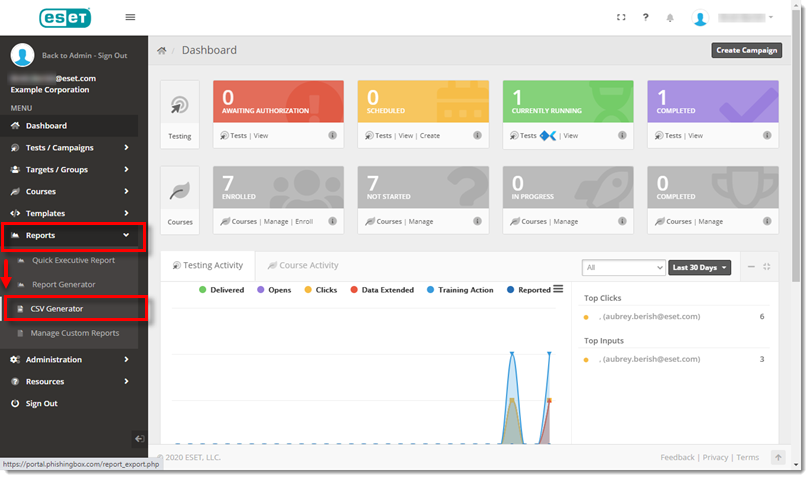
Figure 1-1
2.In the Select Report drop-down menu, select Course Enrollments Export.
3.In the Courses drop-down menu, select ESET Cybersecurity Awareness Training and click Submit.
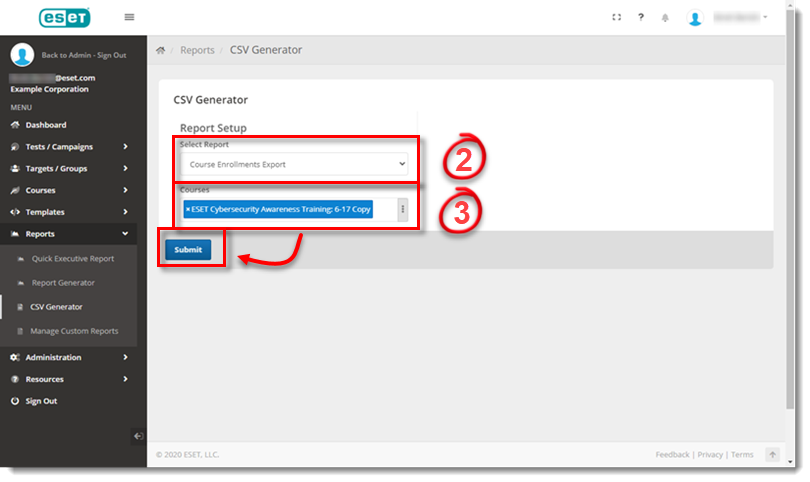
Figure 1-2