
Add an encryption subscription
|
ESET Endpoint Encryption (EEE) subscription ESET Endpoint Encryption subscriptions generated in ESET MSP Administrator 2 (EMA2) are not compatible with ESET DEM plugin for ConnectWise Automate. |

1.In the ESET DEM plugin for ConnectWise Automate, click Licenses > Add License.
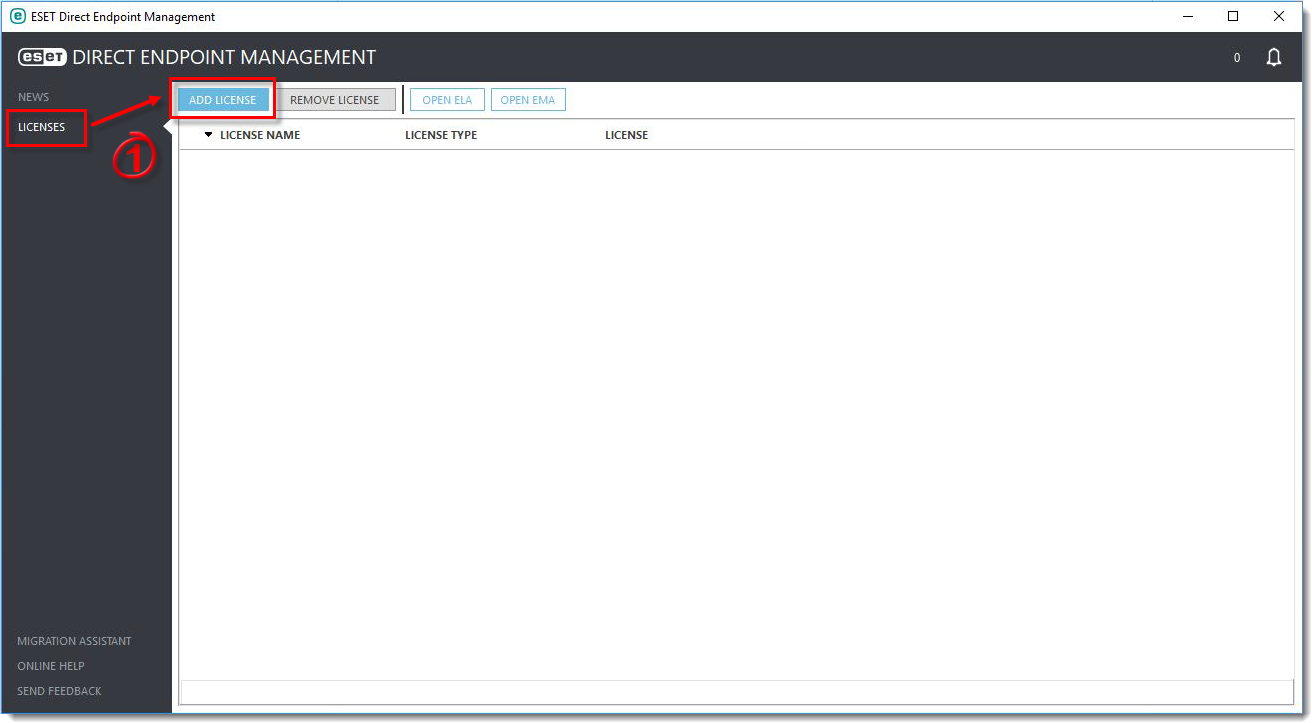
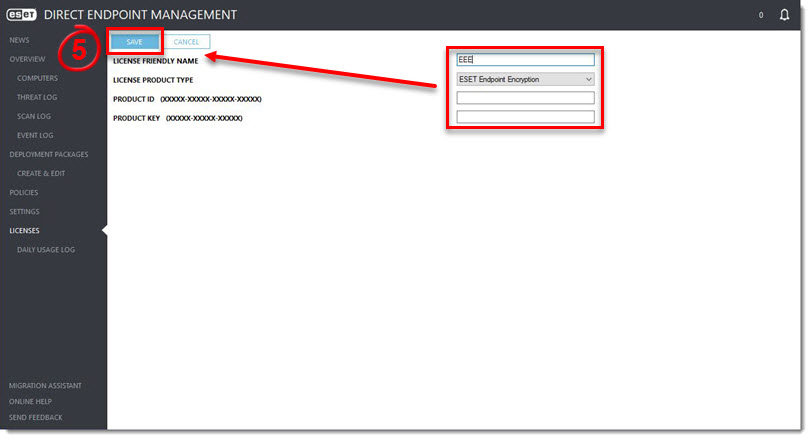
2.In the License Friendly Name field, type a name that is easy to remember. We recommend including the application name (e.g., Endpoint Security subscription for Employee XYZ).
3.In the License Product Type drop-down menu, select ESET Endpoint Encryption.
4.In the Product ID and Product Key fields, type the applicable ESET Endpoint Encryption (EEE) subscription information.
5.Click Save.
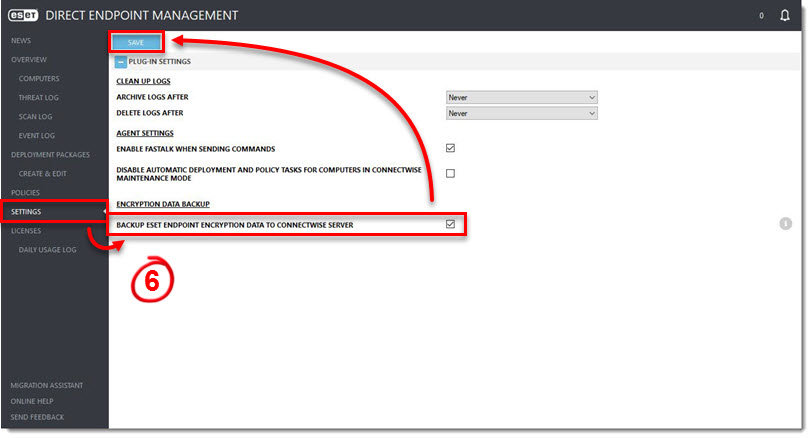
6.Click Settings, select the check box next to Backup ESET Endpoint Encryption Data To ConnectWise Server and then click Save.
Complete the same process for all applicable subscriptions. All compatible subscription will be added to the Licenses screen.