
Parental Control
The Parental control module enables you to configure parental control settings, which provide parents with automated tools to help protect their children and set restrictions for devices and services. The goal is to prevent children and young adults from accessing pages with inappropriate or harmful content.
User Rules
Control what content a user can access by setting browsing rules for their account. Enter their birth date to automatically apply the right access level and get age-appropriate recommendations.
Rules
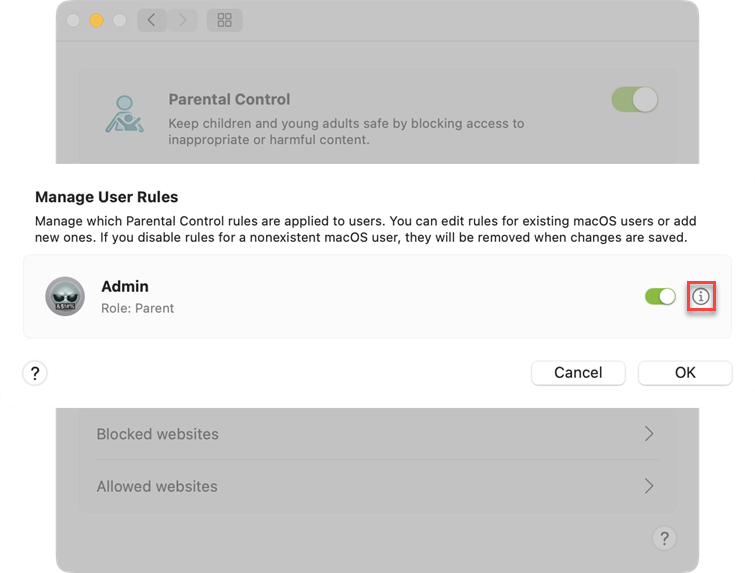
Manage which Parental Control rules are applied to users. You can edit rules for existing macOS users or add new ones. If you disable rules for a nonexistent macOS user, they will be removed when changes are saved. Manage user rules by clicking on the information icon  .
.
Global Exceptions
Block or allow specific websites for all users, regardless of their individual settings. Blocked websites always take priority over allowed ones.
Blocked Websites
Any websites you add here will be blocked for all users, regardless of their individual content category settings. Special characters like * (asterisk) and ? (question mark) are not allowed. Blocking a domain will block all content on that domain, including subdomains (for example, sub.examplepage.com).
Allowed Websites
Any websites you add here will be allowed for all users, regardless of their individual content category settings. Special characters like * (asterisk) and ? (question mark) are not allowed. Allowing a domain will grant access to all content on that domain, including subdomains (for example, sub.examplepage.com).