
Manually upload and manage users
1.Log in to ESET CyberCentral Management.
2.Click Targets/Groups > Create Group.
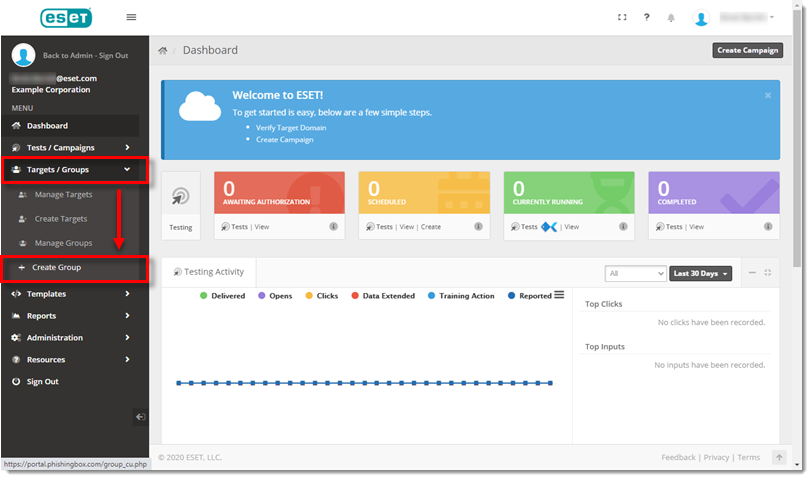
Figure 1-1
3.In the Group Name field, type an applicable name.
4.In the Third-Party Syncing drop-down menu, select No Import and then click Create Group.
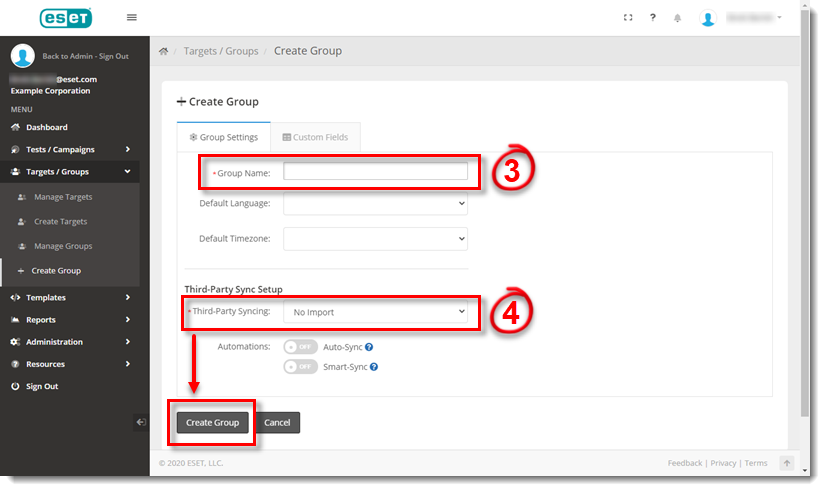
Figure 1-2
5.In the Manage Groups screen, select the new group name.

Figure 1-3
6.Click Add New.

Figure 1-4
7.Enter all applicable Target information and click Save.
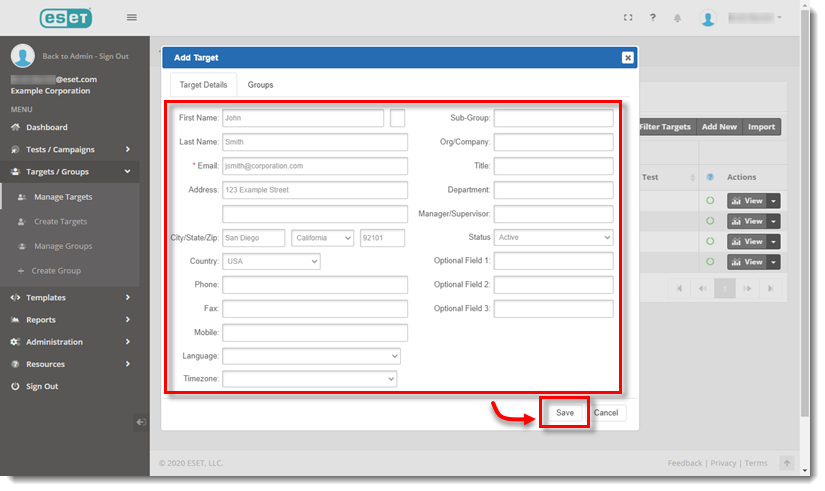
Figure 1-5
8.Repeat this process for all users.