
Refresh endpoint data
Follow the steps below to run the refresh endpoint data task on your managed devices.
1.In the main menu, click Endpoints > Devices.
2.(Optional) Select the check box next to the desired device(s).
3.Click the Run drop-down menu and type ESET into the search field.
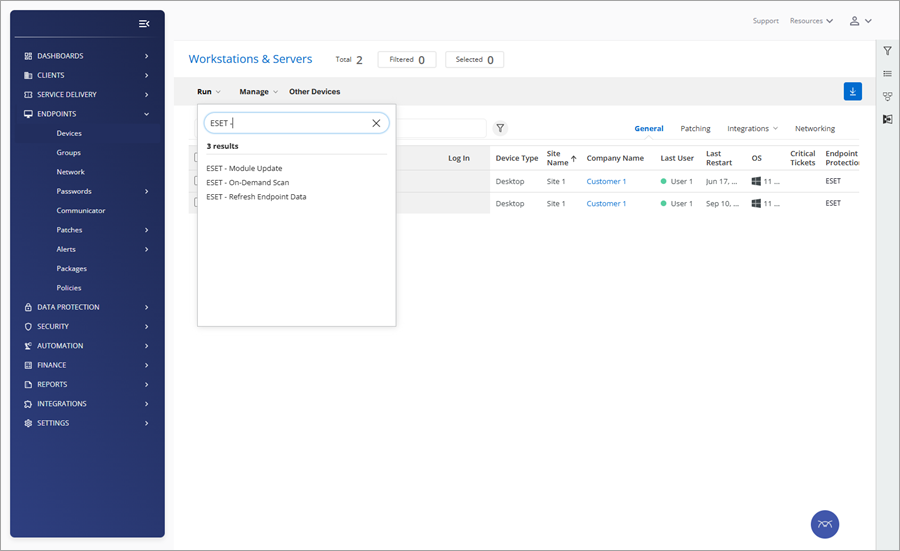
4.Click the ESET - Refresh Endpoint Data task.
5.In the task configuration wizard, Select targets step, confirm the previous selection or select additional devices. (Optional) click the Sites or Device Groups radio button to select devices grouped into the sites or device groups.
6.Click Continue to Scheduling.
7.Click the desired radio button next to Schedule trigger type and configure the desired schedule settings.
8.Click Run Task.
A "The task has been successfully submitted" message will appear.
In the main menu, click Automation > Scheduled Tasks to monitor the task execution.