
Network protection
Open the main program window > Setup > Network protection to configure basic Network protection settings or troubleshoot network communication.
To pause or disable individual protection modules, click the toggle  icon.
icon.
|
Turning off protection modules may decrease the protection level of your device. |

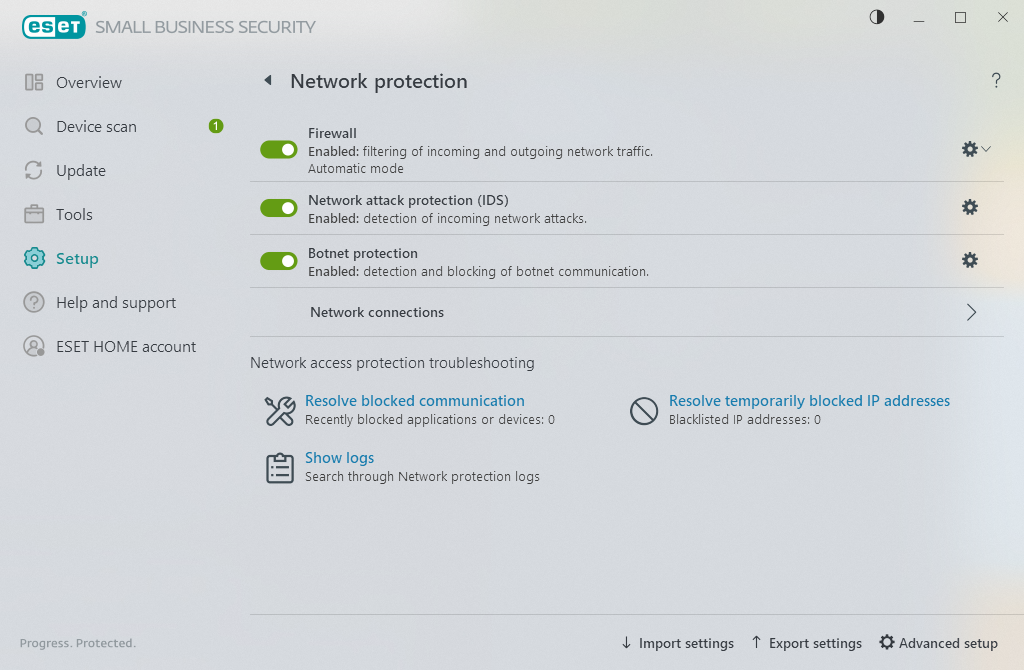
Click the gear wheel  icon next to a protection module to access advanced settings for that module.
Network attack protection (IDS)—Analyzes the content of network traffic and protects from network attacks. Traffic that is considered harmful will be blocked. ESET Safe Server will inform you when you connect to an unprotected wireless network or network with weak protection.
Botnet protection—Quickly and accurately spots malware on your system.
Network connections—Shows the networks to which network adapters are connected with detailed information.
Resolve blocked communication—Helps you solve connectivity problems caused by ESET Firewall. For more detailed information see Troubleshooting wizard.
Resolve temporarily blocked IP addresses—View a list of IP addresses that have been detected as the source of attacks and added to the blacklist to block connection for a certain period of time.
Show logs— Opens the Network protection Log file.