
Local activation
|
The steps below are only valid in case you have not activated ESET Endpoint Security during onboarding. |

1.Open ESET Endpoint Security for macOS.
2.In the Product Activation Security alert, click the Activation dialog.
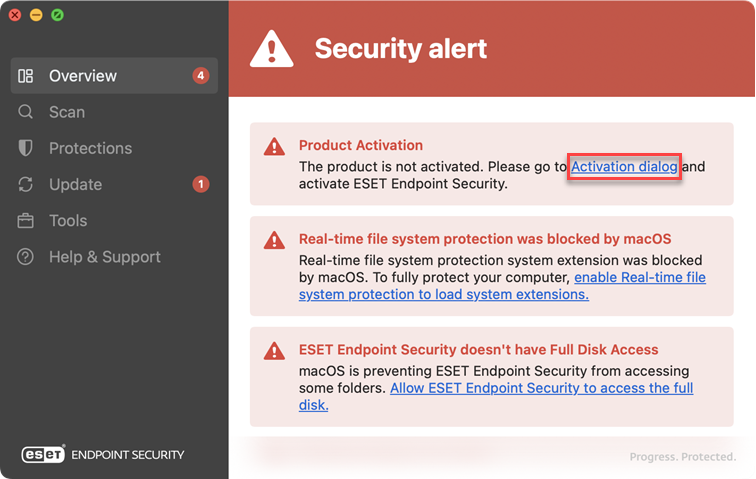
3.When the activation dialogue window opens, type your license key and click Continue.
4.Click Finish.
|
ESET Endpoint Security features will be available based on the type of license purchased. If your license does not include all security features, an alert is displayed in the main application menu > overview offering you to Get full protection with an upgraded license. |
