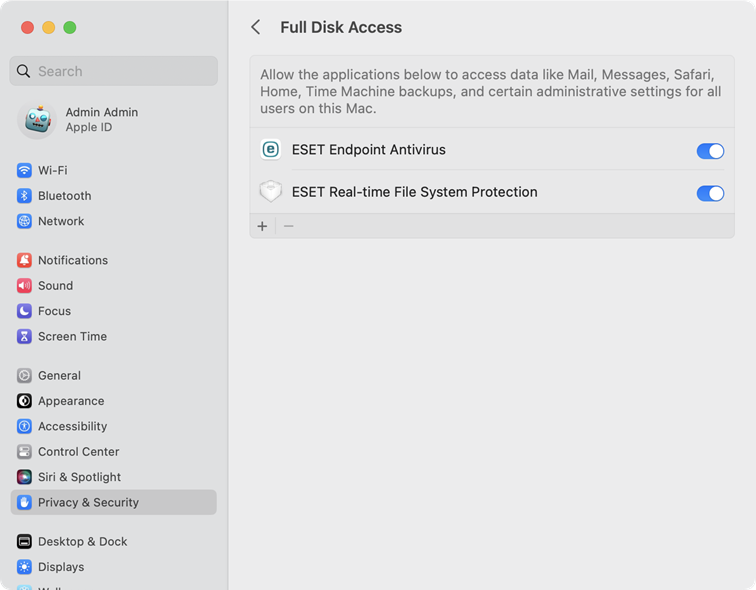
Allow Full Disk Access
If you are installing ESET Endpoint Security for the first time, you must allow Full Disk Access to be fully protected.
|
Make sure ESET Endpoint Security is activated before you follow the steps to allow full disk access. |

macOS Sequoia (15), macOS Tahoe (26) or macOS Golden Gate (27)
1.Open System Settings.
2.Select Privacy & Security from the left menu.
3.Select Full Disk Access.
4.Use the toggle to give ESET Endpoint Security full disk access. Use your Touch ID or click Use Password, type in your Password and click Modify Settings.
5.Use the toggle to give ESET Real-time File System Protection full disk access.